◆ MySmptom · for iPhone

Track how you feel.
See the pattern.

A one-tap mood check-in and quick logs — how something feels, a note, a photo, a voice memo — on a single timeline you actually own.

A native iPhone app. Your data lives in your own iCloud — never on our servers, never in a third-party cloud.

Coming soon to theApp Store See how it works →
Mood in one tap
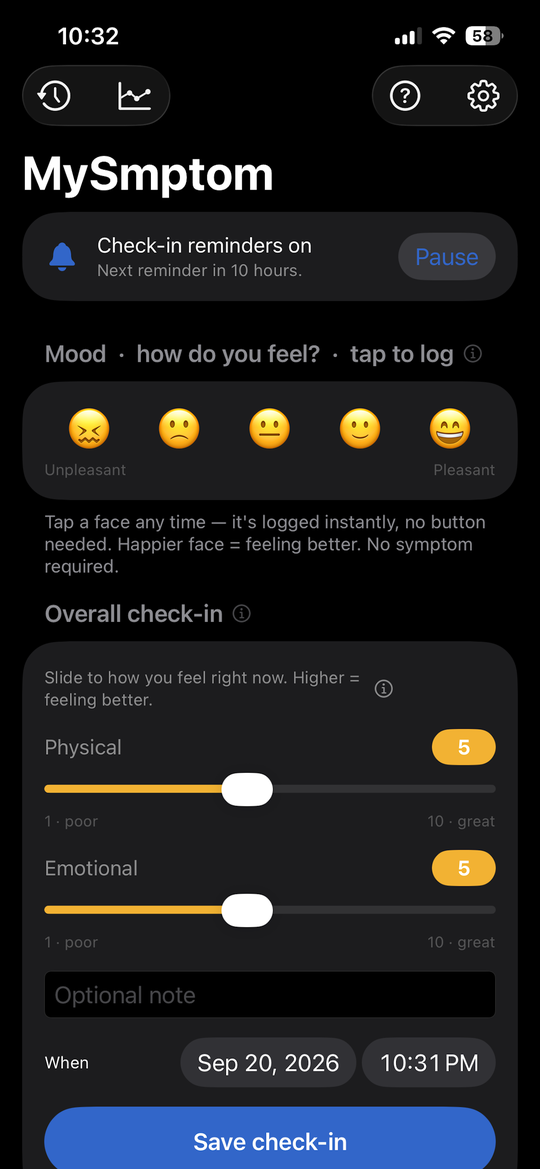
A row of faces at the top — tap the moment you feel it.
Track anything
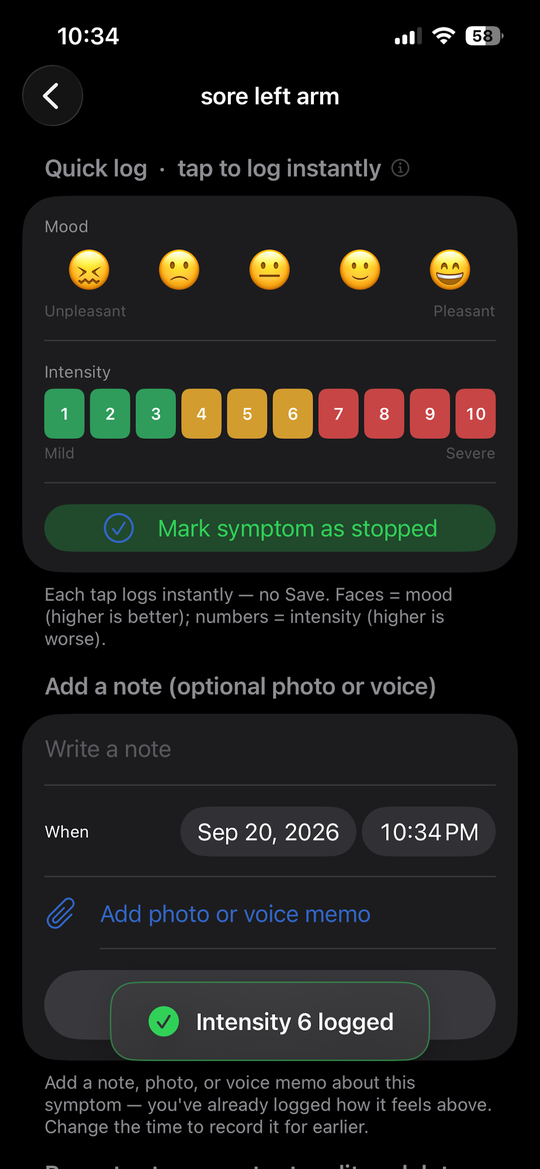
Rate how it feels 0–10, add a note, photo, or voice.
One timeline + trends
Every entry in order, plus charts that surface the pattern.
Your own iCloud
Stored in your iCloud, synced across your devices. No account.
01Why it exists

The details fade by the time you look back.

How you felt on Tuesday, whether that ache was worse after the walk, which day the good stretch started — it's gone by the time you try to remember. MySmptom captures how you feel the moment it happens: a tap for mood, a few seconds for a note, photo, or voice memo. Scattered days become a timeline you can actually read.

02What you track

One tap for mood. A few seconds for the rest.

Two ways in, one record out. Mood is always a tap away at the top of the screen; a note takes a moment longer only when you want the detail.

rough
low
okay
good
great
Quick mood

Tap one of the faces at the top of the screen at any moment. Each tap is its own event, stamped with the time — so a day that swung from rough to good is recorded as exactly that, not flattened into one number.

one tap → one timestamped event
Log the detail

Name what you're tracking, rate how it feels 0–10, and add as much or as little as you want: a short note, a photo, or a voice memo when typing is too much. Mark it stopped when it passes.

rating + note + photo / voice
Timeline & trends

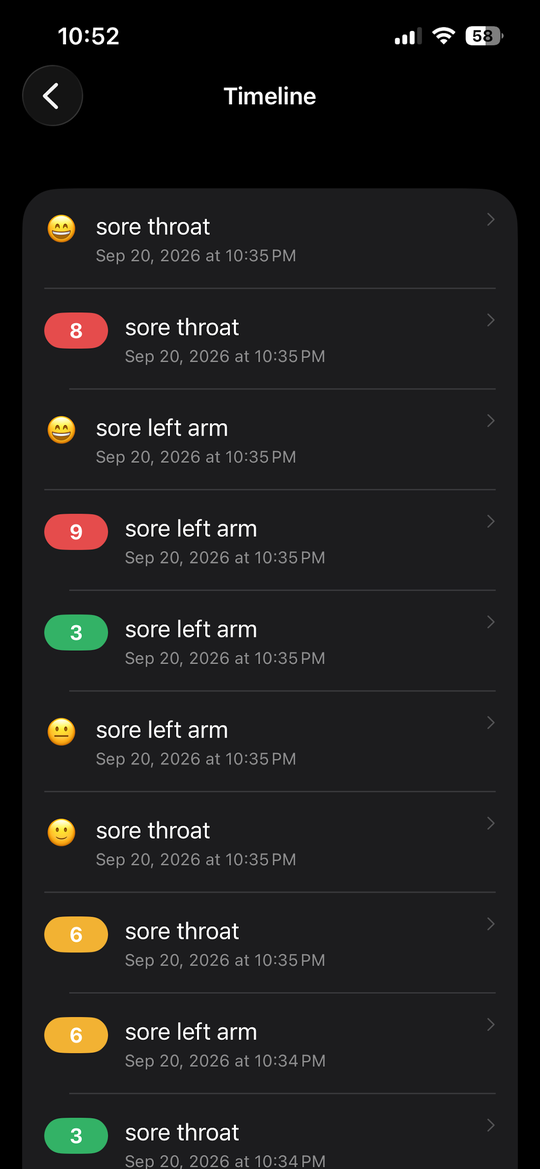
Everything lands on one timeline, newest first — and built-in charts turn it into trends for each thing you track, your mood, and your daily check-ins. Watch the weeks take shape.

one record → charts → patterns
03Where it lives

The app on your phone. The data in your iCloud.

MySmptom has no server and no account. Everything you log is saved on your iPhone and synced privately through your own iCloud (Apple's CloudKit), encrypted by Apple and tied to your Apple ID. We never see it — there is nothing on our side to see.

1 · the app
A native iPhone app (iOS 16 and up). Mood at the top, quick logs a tap away, the timeline and trends below. It works fully offline — the phone is the source of truth.
2 · your iCloud
Your entries sync to the private database in your own iCloud account. That means automatic backup and sync across your iPhone and iPad — with no account to create and no password to forget.
3 · no middle-man
There is no MySmptom server, no analytics, no ads, no third parties. No one ever receives, stores, or can access your entries — there is nothing on the developer's side to hold. The only copies are on your devices and in your iCloud.
4 · yours to take & erase
Export or email your full history as a CSV or a PDF report whenever you like, and delete everything — on device and in iCloud — with two taps. Optional Face ID lock keeps it to your eyes only.
Not a medical or health app. MySmptom is a personal, general-purpose tracker for your own notes — moods, energy, aches, training soreness, everyday symptoms, anything you want to keep an eye on. It is not a medical or health product and does not diagnose, treat, monitor, or give advice for any condition. For medical concerns, talk to a qualified professional.
04Private by design

Your data, kept in your account.

What you track is about as personal as it gets. MySmptom is built so it stays yours — not because a policy says so, but because of where it physically lives: your device and your iCloud, and nowhere else.

in your iCloud
The whole record — your entries, notes, photos and voice memos — sits in your private iCloud database, encrypted by Apple. There is no shared cloud account and no vendor with a copy.
nothing to sign up
No account, no password, no email required. You're identified only by being signed into your own iPhone.
yours to erase
A single action wipes everything from your device and iCloud when you want a fresh start — and you can take a full copy with you first.
Your data stays on your device and in your own iCloud — private by design, not by promise. Read the full privacy policy.